Your PDFs
become Revit files.
Pdftorvt.com automates repetitive Revit modeling using AI. Your plans, drawings and ideas become Revit files built to your firm's standards, families, and conventions.
✓ No risk: you only pay if you approve the results.
From PDF to Revit, automatically
No more manually drawing your plans. AI does the work for you.
Smart PDF Import
Drop your architecture, structural, or MEP plans in PDF format, or simply a text description of your project. The AI interprets drawings as well as text to extract elements: walls, doors, windows, annotations, dimensions.
AI-Powered Analysis
The AI reads your PDF plans and produces a structured model: it identifies levels, grid axes, wall types, openings, dimensions, then generates the precise instructions that Revit executes to build your 3D model with the right families and parameters.
Native .rvt Generation
The model is built directly inside your Revit template: levels, grids, walls, doors, windows, roof, floor, dimensions, annotations, and sheets. Everything is created using the families and types already loaded in your file, not imported from outside.
Adapted to Your Firm
Pdftorvt.com learns your firm's conventions: custom families, view templates, naming standards. Every generation respects your norms.
We work with your Revit template
Pdftorvt.com doesn't generate a generic Revit file. It uses your own template : your families, wall types, title blocks, and standards, to produce a native file that conforms to your firm's norms.
Your template as the foundation
Provide your .rte or .rvt starter file. The AI generates the model directly inside it, using the families and types already loaded in your template.
Your parametric families
Walls, doors, windows, annotations : everything is generated from the families present in your template. No generic families imported from outside.
Your standards respected
View naming, sheet organization, dimension conventions, line types: every detail follows the norms your firm has established.
A tool calibrated for your firm
Before your first conversion, our BIM team configures Pdftorvt.com to understand and respect your firm's specific conventions.
Standards analysis
Our BIM team studies your custom Revit families, naming conventions, and documentation standards.
AI configuration
We calibrate the AI to recognize your wall types, annotations, symbols, and the graphic conventions specific to your firm.
Validation & iteration
We generate test files from your real plans, validate results with your team, and refine the configuration until complete satisfaction.
Soon, you'll be able to calibrate your tasks yourself through a self-service interface.
✓ No risk: you only pay if you approve the results.
After calibration, it's simple.
Each task is built around your firm's exact standards. The AI learns your families, your naming conventions, and your templates.
Select your task
From the plug-in ribbon, choose the task matching the work to be done. Each task is tailored to a specific project type and automatically loads the conventions calibrated for your firm.
Add your sources and generate
Import your PDFs, text descriptions, or reference files linked to the task. Click Generate: the AI analyzes your sources, asks you questions to refine the result, then builds the model directly inside your Revit template.
The model is ready in Revit
Walls, openings, roof, dimensions, annotations, and sheets appear in your Revit project. Everything follows your standards, just continue your work.
(\(\
( ^.^)
o_(")("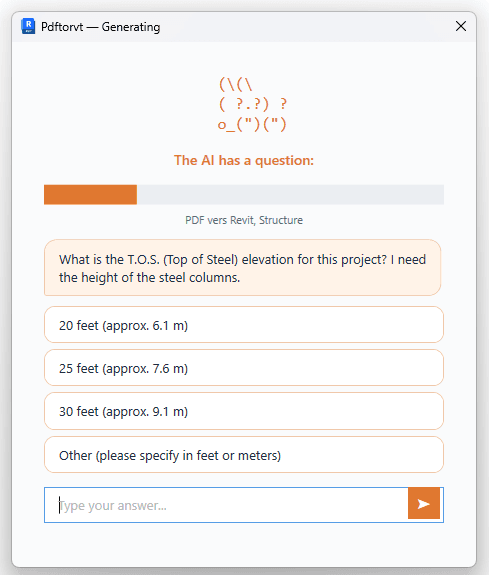
Concrete gains for your firm
Time
Every plan requires complete manual modeling in Revit. The AI produces a structured base in minutes, your team starts further ahead.
Precision
Oversights, inconsistencies, misplaced elements: manual entry introduces rework. The AI applies your standards systematically.
Flexibility
Impossible to add qualified resources quickly during rush periods. The AI gives you capacity without hiring.
The result: fewer drafting hours, fewer revisions, and a lower error rate even as workload increases.
Your data is protected
Self-service task creation
Create and calibrate your own automations through an intuitive interface. Define your tasks, adjust conventions, and let the AI adapt to your workflow.
Let's talk about your project
Let's set up a no-commitment pilot calibrated to your firm's standards. Preferred pricing for early clients. Tell us about your workflow and we'll show you what automation looks like for your team.